Grow a Garden Mutations & Weather Guide (2×–150× Multipliers)
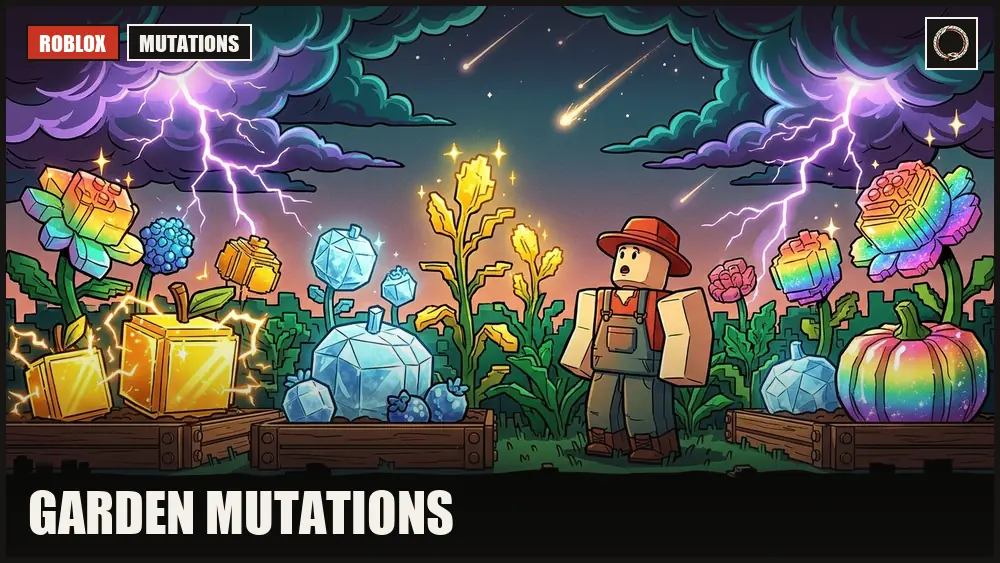
Final fruit prices in Grow a Garden multiply base value × crop weight × growth variant (Gold 20× or Rainbow 50×) × stacked server weather mutations (Shocked 100×, Celestial 120×, Dawnbound 150×). Leave top multi-harvest crops pinned with Favorite near Lightning Rods and Star Callers.
Price Formula & Complete Mutation Table (2× – 150×)
Picking crops the second they ripen is the fastest way to stay broke in Grow a Garden. Each fruit scales from base crop value and weight, then multiplies across growth variants (Gold/Rainbow) and stacked server weather cycles.
| Mutation | How to Trigger | Multiplier | Smart Strategy |
|---|---|---|---|
| Wet | Standard Rain cycle | 2× |
Hold through dry periods waiting for Frost |
| Chilled / Frozen | Frost cycle (Wet + Frost becomes Frozen) |
Up to 10× |
Always convert Wet fruit into Frozen before selling |
| Windy / Tornado | Wind / Tornado weather cycle | Up to 30× |
Stacks cleanly alongside existing water variants |
| Gold | Random crop growth roll | 20× |
Lock with Favorite immediately until weather hits |
| Rainbow | Rare crop growth roll | 50× |
Never cash out raw—stack at least 85×–120× weather on top |
| Sundried | Rare Heatwave weather | 85× |
Great mid/late multiplier on favorited bushes |
| Shocked | Thunderstorm lightning strike | 100× |
Place a Lightning Rod right inside prized clusters |
| Celestial | Meteor Shower weather | 120× |
Drop a Star Caller next to top-base crops |
| Dawnbound | Rare admin-triggered events (e.g. Sun God) | 150× |
Watch update windows on populated lobbies |
Layout Rules: Sprinklers, Lightning Rods & Star Callers
Server-wide weather touches everyone at once, so smart garden spacing concentrates odds onto your best slots:
- Cluster Mythic & Divine plants tightly. Group Bamboo, Mango, and Dragon Fruit in one tight square rather than scattering them across plot edges—one Sprinkler boosts weight across multiple bushes, and one Lightning Rod protects your highest earners.
- Pin every Gold/Rainbow crop with Favorite. One misclick wipes out hours of waiting. Lock prized fruit with the Favorite tool while waiting for Thunderstorm (
100×) or Meteor Shower (120×). - Clear out starter single-harvest crops fast. Carrots only carry the opening 5 minutes—pull them with the Shovel and swap to Strawberry, Blueberry, Tomato, and later Bamboo / Dragon Fruit.
Next Grow a Garden Guides
- Seed Shop priorities & weather pet pairings: Seeds, Pets & Rare Weather Guide.
- Jumping into the sequel? Grab Grow a Garden 2 Codes or read our Grow a Garden 2 Sequel Guide.
- Want lag-free mutation stacking with friends? Check our Free Private VIP Servers Guide.
Frequently Asked Questions
Can multiple mutations stack on one fruit in Grow a Garden?
Yes. Growth variants like Gold (20×) and Rainbow (50×) stack cleanly alongside weather modifiers such as Wet, Frozen, Shocked (100×), and Celestial (120×).
How do you trigger Frozen instead of just Wet or Chilled?
Avoid selling Wet (2×) fruit right away—keep the ripe crop on the bush until a Frost event combines Wet + Chilled into the higher Frozen multiplier (up to 10×).
Where should I place the Lightning Rod in Grow a Garden?
Drop a Lightning Rod tightly surrounded by your highest-base Mythic or Divine crops (such as Dragon Fruit) so Thunderstorm bolts land Shocked (100×) onto valuable fruit instead of cheap starter plots.
Which crops should I hold on plots specifically for weather mutations?
Early on use multi-harvest Strawberry, Blueberry, and Tomato; later focus on Bamboo, Mushroom, Mango, and Dragon Fruit so weather multipliers scale off maximum base price.
Are Grow a Garden mutations safe from stealing compared to Grow a Garden 2?
Yes—original Grow a Garden focuses purely on relaxed mutation stacking without player crop thefts, whereas the separate sequel Grow a Garden 2 introduces nighttime crop heists.