How to Enable Roblox Voice Chat (13+), Fix Grey Mic & Age Settings
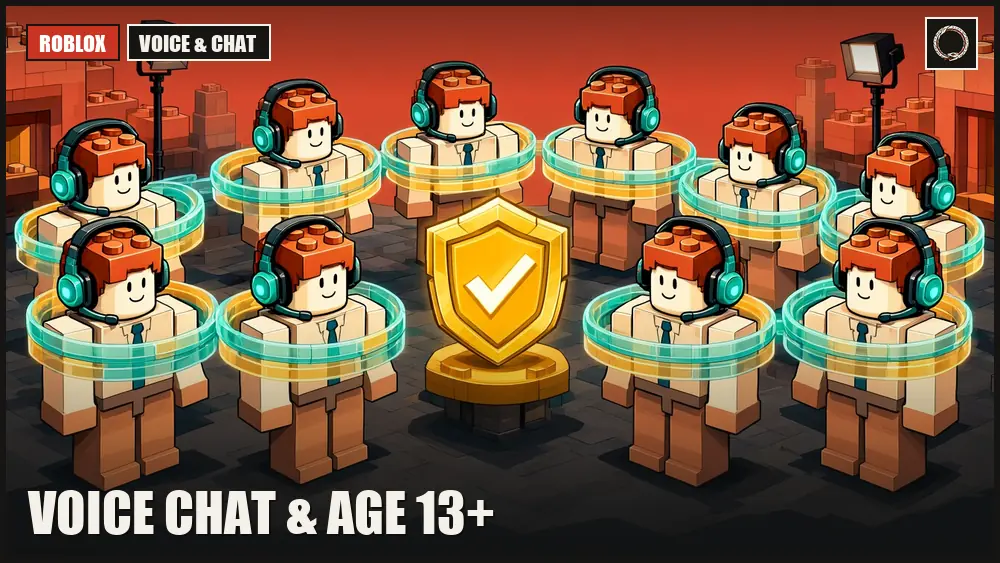
Roblox Spatial Voice requires a 13+ account, completed Age Check (facial age estimation or government ID), and Microphone Input enabled under Privacy -> Communication. If your mic icon stays grey, check OS microphone permissions and Roblox's in-game Input Device selector; certain regions such as Russia also restrict chat at the network/compliance level.
Mandatory Age Checks & 2026 Voice Rules
Roblox enforces mandatory age verification across both text chat and Spatial Voice. Entering a birthdate during signup no longer unlocks chat on its own—you must complete either Roblox’s facial age estimation check or ID verification under Account Info, after which users are sorted into protected age brackets (13–15, 16–17, and 18+).
Accounts that skip verification can still launch experiences normally, while chat boxes and microphone toggles stay locked.
How to Enable Voice Chat Step by Step
- Open Roblox on desktop or mobile and navigate to Settings -> Account Info.
- Confirm your listed birthday is 13 or older and click Verify My Age to finish facial age check or ID verification.
- Add and verify your email address and phone number to prevent security holds.
- Go to Settings -> Privacy -> Communication.
- Turn on Use microphone to chat with voice under Microphone and Camera Input, and verify your text chat permissions (
No onevs allowed contacts). - Join a voice-enabled experience, press Esc -> Settings -> Input Device, and select your active microphone.
Heads up: Developers control whether Spatial Voice is turned on inside each game. Even a fully verified account will not display a mic button inside places that disable voice chat.
Troubleshooting Table: Grey Mic, Locked Chat & Wrong Age
| Issue | Likely Cause | Official Fix |
|---|---|---|
| Grey mic or red exclamation mark | OS privacy block or stale audio device | Enable microphone access for Roblox in Windows Settings / Android / iOS, then rejoin the server |
| Mic shows active, nobody hears you | Wrong input source selected (VR headset or virtual mic) | Press Esc -> Settings -> Input Device inside a game and pick your real headset/desk mic |
| No Voice Chat toggle in Privacy | Age verification incomplete or Parental Controls enabled | Complete Verify My Age under Account Info and check Parental Controls restrictions |
| Locked under-13 birthday field | Anti-bypass protection on child accounts | Verify your real age via Verify My Age (with valid ID) or adjust supervision via a parent-linked account |
| Chat bar missing everywhere | Chat disabled in Privacy, unverified age, or regional restriction | Confirm age check completion and set Who can chat with me away from No one |
Regional Communication Limits (Including Russia)
Roblox routes gameplay traffic and chat services separately. In jurisdictions with specific child-safety or VoIP compliance rules—notably Russia, where core games remain reachable after platform compliance steps—in-game text and voice chat can remain disabled at the network level regardless of account verification status or profile country edits.
If you want coordinated lobbies with friends without public server noise, set up a clean room with our guide on Free Private VIP Servers, and check Roblox Error Codes (277, 279, 267, 529) Fix if connection drops occur.
Frequently Asked Questions
How do I enable Voice Chat (13+) on Roblox?
Verify your 13+ age under Settings -> Account Info -> Verify My Age (AI facial age check or ID), then go to Settings -> Privacy -> Communication and toggle Microphone Input to ON.
Why is my Roblox microphone icon grey or crossed out with a warning?
A grey mic icon usually means your OS (Windows, Android, or iOS) blocked microphone access, your in-game Input Device points to an inactive mic, or the server temporarily suspended audio.
Can I change my birthday on Roblox if my account is stuck under 13?
Manual birthday edits are locked for under-13 accounts. You must pass official age verification via Verify My Age or update supervision settings through a linked parent account.
Why can I play Roblox games without chat working at all?
Roblox separates gameplay servers from communication routing. Unverified accounts cannot use chat, and in regions with active communication restrictions (such as Russia) chat remains disabled even while experiences load.
How do Roblox age-bracket voice rules affect lobbies?
Verified accounts are grouped into age brackets (such as 13-15, 16-17, and 18+) to keep cross-age chat strictly moderated.